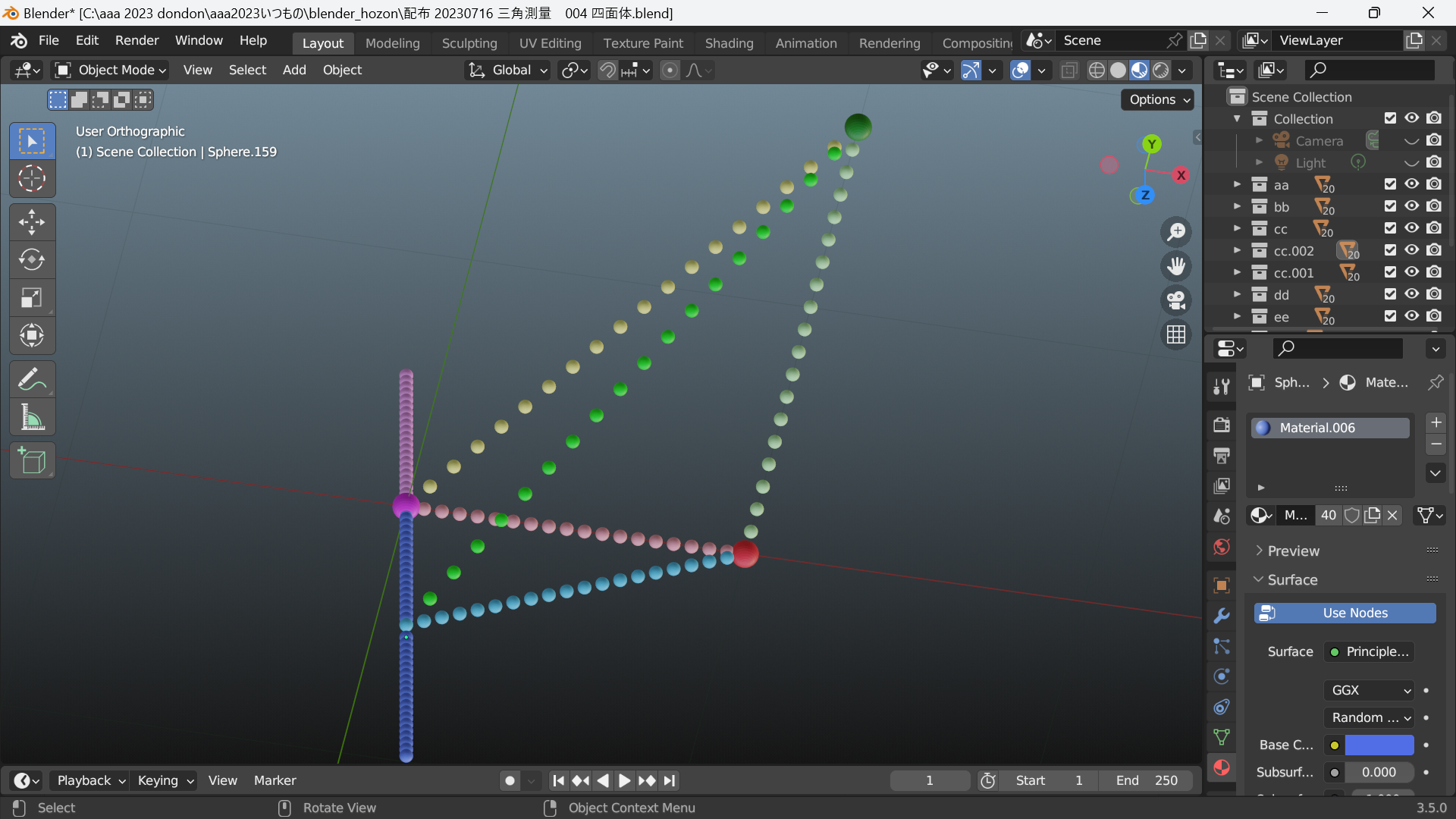
コレクションだけを作って
”railcars"
"red points"
"pink points"
"railcar Z=-12"
"railcar Z=0"
コレクションだけを作って
”railcars"
"red points"
"pink points"
"railcar Z=-12"
"railcar Z=0"
コレクションだけを作って
”railcars"
"red points"
"pink points"
blender python
カメラを配置して
カメラの向きは xyz=000
位置は 円周上
円周は 半径1 中心000
等間隔に16台カメラ配置して
コレクションを作って入れて
名前は 円周上の角度で
import bpy
import math
import mathutils
# カメラの数
num_cameras = 16
# 円周の半径
radius = 5.0
# 被写体の位置
target_location = mathutils.Vector((0, 0, 0))
# コレクションを作成
collection_name = "CameraCollection"
if collection_name not in bpy.data.collections:
bpy.data.collections.new(collection_name)
bpy.context.scene.collection.children.link(bpy.data.collections[collection_name])
# 円周上にカメラを等間隔に配置
for i in range(num_cameras):
angle = 2 * math.pi * i / num_cameras
x = radius * math.cos(angle)
y = radius * math.sin(angle)
z = 0.0 # カメラの高さを調整する場合は適宜変更してください
# カメラを作成
bpy.ops.object.camera_add(location=(x, y, z))
camera = bpy.context.object
# 被写体の位置への方向ベクトルを計算
direction = (target_location - camera.location).normalized()
# カメラの向きを設定(180度回転)
camera.rotation_euler = direction.to_track_quat('Z', 'Y').to_euler()
camera.rotation_euler[2] += math.radians(180)
# カメラの名前を角度に設定
camera.name = f"Camera_{i:02d}_{math.degrees(angle):.2f}deg"
カメラを 3秒ごとに 切替えて
正方形を作る
1辺 12
中心
000
-12、0、0
+12.0.0
import bpy
import math
# 正方形の1辺の長さ
side_length = 12.0
# 3つの正方形の位置(指定地に配置する座標)
positions = [
(0, 0, 0),
(-12, 0, 0),
(12, 0, 0)
]
# 3つの色を用意(指定の色)
colors = [(0.0, 0.0, 0.4, 1.0), # 赤
(0.0, 0.0, 0.6, 1.0), # 緑
(0.0, 0.0, 0.8, 1.0)] # 青
# 3つの正方形を作成し、位置と色を設定
for i, (position, color) in enumerate(zip(positions, colors)):
# 新しいメッシュを作成
mesh = bpy.data.meshes.new(f"SquareMesh_{i}")
obj = bpy.data.objects.new(f"Square_{i}", mesh)
# シーンに追加
scene = bpy.context.scene
scene.collection.objects.link(obj)
# メッシュの頂点を設定
vertices = [
(side_length / 2, side_length / 2, 0),
(-side_length / 2, side_length / 2, 0),
(-side_length / 2, -side_length / 2, 0),
(side_length / 2, -side_length / 2, 0)
]
mesh.from_pydata(vertices, [], 0, 1, 2, 3)
# オブジェクトの位置を設定
obj.location = position
# マテリアルを作成しオブジェクトに割り当てる
mat = bpy.data.materials.new(name=f"Material_{i}")
mat.use_nodes = False # ノードを使用しない
mat.diffuse_color = color
obj.data.materials.append(mat)
import bpy
import math
# 正方形の1辺の長さ
side_length = 12.0
# 3つの正方形の位置(指定地に配置する座標)
positions = [
(0, 0, 0),
(-6, 0, 0),
(6, 0, 0)
]
# 3つの正方形を作成し、位置を設定
for i, position in enumerate(positions):
# 新しいメッシュを作成
mesh = bpy.data.meshes.new(f"SquareMesh_{i}")
obj = bpy.data.objects.new(f"Square_{i}", mesh)
# シーンに追加
scene = bpy.context.scene
scene.collection.objects.link(obj)
# メッシュの頂点を設定
vertices = [
(side_length / 2, side_length / 2, 0),
(-side_length / 2, side_length / 2, 0),
(-side_length / 2, -side_length / 2, 0),
(side_length / 2, -side_length / 2, 0)
]
mesh.from_pydata(vertices, [], [[0, 1, 2, 3]])
# オブジェクトをアクティブにする
bpy.context.view_layer.objects.active = obj
# メッシュをアクティブにしてオブジェクトモードに切り替え
bpy.ops.object.mode_set(mode="OBJECT")
# オブジェクトの位置を設定
obj.location = position
コレクション名 日本語で
作って
" Z=-1”
" Z=0”
" Z=+1”
" Z=+5”
# 球体の半径
sphere_radius = 0.1
" Z=-1”
" Z=0”
" Z=+1”
" Z=+5”
Zの位置に
y=0で
X=-1
X=0
X=+1
合計 12個の球体作って
名前は X=-1なら ”左”連番で
X=0 なら ”中央”
X=1なら ”右”
" Z=ー5” にも 作って
import bpy
# 正方形のサイズと中心位置のリスト
squares = [
{"size": 2, "location": (0, 0, 5)},
{"size": 2, "location": (0, 0, 1)},
{"size": 2, "location": (0, 0, 0)},
{"size": 2, "location": (0, 0, -1)}
]
# 球体の半径
sphere_radius = 0.1
# 正方形を作成する関数
def create_square(size, location):
bpy.ops.mesh.primitive_plane_add(size=size, location=location)
# 球体を作成する関数
def create_sphere(radius, location, name):
bpy.ops.mesh.primitive_uv_sphere_add(radius=radius, location=location)
bpy.context.active_object.name = name
# 正方形と球体を作成
for i, square_data in enumerate(squares):
create_square(square_data["size"], square_data["location"])
create_sphere(sphere_radius, square_data["location"], f"Center_{i}")
# 左側に球体を作成
left_location = (square_data["location"][0] - 1, square_data["location"][1], square_data["location"][2])
create_sphere(sphere_radius, left_location, f"Left_{i}")
# 右側に球体を作成
right_location = (square_data["location"][0] + 1, square_data["location"][1], square_data["location"][2])
create_sphere(sphere_radius, right_location, f"Right_{i}")
import bpy
# 正方形のサイズと中心位置のリスト
squares = [
{"size": 2, "location": (0, 0, 5)},
{"size": 2, "location": (0, 0, 1)},
{"size": 2, "location": (0, 0, 0)},
{"size": 2, "location": (0, 0, -1)}
]
# 球体の半径
sphere_radius = 0.1
# 正方形を作成する関数
def create_square(size, location):
bpy.ops.mesh.primitive_plane_add(size=size, location=location)
# 球体を作成する関数
def create_sphere(radius, location, name):
bpy.ops.mesh.primitive_uv_sphere_add(radius=radius, location=location)
bpy.context.active_object.name = name
# 正方形と球体を作成
for i, square_data in enumerate(squares):
create_square(square_data["size"], square_data["location"])
create_sphere(sphere_radius, square_data["location"], f"Center_{i}")
# 左側に球体を作成
left_location = (square_data["location"][0] - 1, square_data["location"][1], square_data["location"][2])
create_sphere(sphere_radius, left_location, f"Left_{i}")
# 右側に球体を作成
right_location = (square_data["location"][0] + 1, square_data["location"][1], square_data["location"][2])
create_sphere(sphere_radius, right_location, f"Right_{i}")
import bpy
# 正方形のサイズと中心位置のリスト
squares = [
{"size": 2, "location": (0, 0, 5)},
{"size": 2, "location": (0, 0, 1)},
{"size": 2, "location": (0, 0, 0)},
{"size": 2, "location": (0, 0, -1)}
]
# 球体の半径
sphere_radius = 0.1
# 正方形を作成する関数
def create_square(size, location):
bpy.ops.mesh.primitive_plane_add(size=size, location=location)
# 球体を作成する関数
def create_sphere(radius, location, name):
bpy.ops.mesh.primitive_uv_sphere_add(radius=radius, location=location)
bpy.context.active_object.name = name
# 正方形と球体を作成
for i, square_data in enumerate(squares):
create_square(square_data["size"], square_data["location"])
create_sphere(sphere_radius, square_data["location"], f"Center_{i}")
# 左側に球体を作成
left_location = (square_data["location"][0] - 1, square_data["location"][1], square_data["location"][2])
create_sphere(sphere_radius, left_location, f"Left_{i}")
# 右側に球体を作成
right_location = (square_data["location"][0] + 1, square_data["location"][1], square_data["location"][2])
create_sphere(sphere_radius, right_location, f"Right_{i}")
Ctrl+Altキーを押しながらマウスをスクロールすると、視点を横に移動できます。
https://blender-cg.net/mausu-sitenn/
https://blender-cg.net/transform-direction/
blender python で
1辺 2長さの 正方形を作る
正方形の中心は 000
正方形を Z=0 の xy平面に作る
"C:\aaa 2023 dondon\aaa2023いつもの\blender_hozon\Photos-001\94531767-BEA6-40A9-AC2B-BE356C0DD52F-67323-00001437AA34EA91.jpg"
この写真を 貼れるよにする
手動で 画像入れて 反映した
import bpy
# 1辺の長さを定義します
side_length = 2.0
# 正方形を作成します
bpy.ops.mesh.primitive_plane_add(size=side_length, location=(0, 0, 0))
# カメラを選択します
bpy.ops.object.select_all(action='DESELECT')
bpy.context.view_layer.objects.active = None
bpy.context.scene.camera = None
# 画像ファイルのパスを指定します
image_path = r"C:\aaa 2023 dondon\aaa2023いつもの\blender_hozon\Photos-001\94531767-BEA6-40A9-AC2B-BE356C0DD52F-67323-00001437AA34EA91.jpg"
# テクスチャを読み込みます
image_texture = bpy.data.images.load(image_path)
# マテリアルを作成します
material = bpy.data.materials.new(name="PhotoMaterial")
bpy.context.object.data.materials.append(material)
# マテリアルにテクスチャを追加します
material.use_nodes = True
material.node_tree.nodes.clear()
texture_node = material.node_tree.nodes.new(type='ShaderNodeTexImage')
texture_node.image = image_texture
diffuse_shader_node = material.node_tree.nodes["Principled BSDF"]
material.node_tree.links.new(texture_node.outputs["Color"], diffuse_shader_node.inputs["Base Color"])
import bpy
# 1辺の長さを定義します
side_length = 2.0
# 正方形を作成します
bpy.ops.mesh.primitive_plane_add(size=side_length, location=(0, 0, -5))
bpy.ops.mesh.primitive_plane_add(size=side_length, location=(0, 0, -1))
import bpy
# 正方形の1辺の長さ
side_length = 2.0
# 正方形の中心座標
center = (0.0, 0.0, 0.0)
# メッシュを作成
mesh = bpy.data.meshes.new(name="Square")
# 頂点を作成
vertices = [
(center[0] - side_length / 2, center[1] - side_length / 2, center[2]),
(center[0] + side_length / 2, center[1] - side_length / 2, center[2]),
(center[0] + side_length / 2, center[1] + side_length / 2, center[2]),
(center[0] - side_length / 2, center[1] + side_length / 2, center[2])
]
# 面を作成
faces = [(0, 1, 2, 3)]
# メッシュに頂点と面を追加
mesh.from_pydata(vertices, [], faces)
mesh.update()
# テクスチャの作成と設定
img_path ="C:\aaa 2023 dondon\aaa2023いつもの\blender_hozon\Photos-001\94531767-BEA6-40A9-AC2B-BE356C0DD52F-67323-00001437AA34EA91.jpg" # 使用したい写真のパスを指定してください
texture = bpy.data.textures.new(name="Texture", type='IMAGE')
texture.image = bpy.data.images.load(img_path)
# テクスチャをマテリアルに追加
material = bpy.data.materials.new(name="Material")
material.use_nodes = True
bsdf = material.node_tree.nodes["Principled BSDF"]
tex_image = material.node_tree.nodes.new('ShaderNodeTexImage')
tex_image.image = texture.image
material.node_tree.links.new(bsdf.inputs['Base Color'], tex_image.outputs['Color'])
# オブジェクトを作成
obj = bpy.data.objects.new("Square_Object", mesh)
# メッシュにマテリアルを割り当てる
obj.data.materials.append(material)
# シーンにオブジェクトを追加
scene = bpy.context.scene
scene.collection.objects.link(obj)
# オブジェクトを選択
scene.objects.active = obj
obj.select_set(True)
このコードでは、写真をテクスチャとして読み込み、Blenderのマテリアルに関連付けています。テクスチャは写真を正方形オブジェクトに貼り付けるために使用されます。実際の写真ファイルのパスをimg_path変数に設定して、スクリプトを実行してください。これにより、作成した正方形に写真が貼り付けられます。
"C:\aaa 2023 dondon\aaa2023いつもの\blender_hozon\Photos-001\94531767-BEA6-40A9-AC2B-BE356C0DD52F-67323-00001437AA34EA91.jpg"
Pythonの文字列でバックスラッシュ \ はエスケープ文字として扱われます。これは、特定の文字と組み合わせて特殊な文字を表すためのものです。したがって、img_path変数に指定されたパスのバックスラッシュはエスケープされてしまっており、ファイルの実際のパスが正しく解釈されません。
バックスラッシュを使用したままパスを指定する代わりに、パス文字列の前に r を付けることで生の文字列(Raw string)として扱うことができます。これにより、バックスラッシュがエスケープされずにそのままの形で扱われるようになります。
修正したコードは以下のようになります:
import bpy
# 正方形の1辺の長さ
side_length = 2.0
# 正方形の中心座標
center = (0.0, 0.0, 0.0)
# メッシュを作成
mesh = bpy.data.meshes.new(name="Square")
# 頂点を作成
vertices = [
(center[0] - side_length / 2, center[1] - side_length / 2, center[2]),
(center[0] + side_length / 2, center[1] - side_length / 2, center[2]),
(center[0] + side_length / 2, center[1] + side_length / 2, center[2]),
(center[0] - side_length / 2, center[1] + side_length / 2, center[2])
]
# 面を作成
faces = [(0, 1, 2, 3)]
# メッシュに頂点と面を追加
mesh.from_pydata(vertices, [], faces)
mesh.update()
# テクスチャの作成と設定
img_path = r"C:\aaa 2023 dondon\aaa2023いつもの\blender_hozon\Photos-001\94531767-BEA6-40A9-AC2B-BE356C0DD52F-67323-00001437AA34EA91.jpg" # 使用したい写真のパスを指定してください
texture = bpy.data.textures.new(name="Texture", type='IMAGE')
texture.image = bpy.data.images.load(img_path)
# テクスチャをマテリアルに追加
material = bpy.data.materials.new(name="Material")
material.use_nodes = True
bsdf = material.node_tree.nodes["Principled BSDF"]
tex_image = material.node_tree.nodes.new('ShaderNodeTexImage')
tex_image.image = texture.image
material.node_tree.links.new(bsdf.inputs['Base Color'], tex_image.outputs['Color'])
# オブジェクトを作成
obj = bpy.data.objects.new("Square_Object", mesh)
# メッシュにマテリアルを割り当てる
obj.data.materials.append(material)
# シーンにオブジェクトを追加
scene = bpy.context.scene
scene.collection.objects.link(obj)
# オブジェクトを選択
scene.objects.active = obj
obj.select_set(True)
あああ
blender python で
正方形を作る
1辺の長さ 2
正方形 の座標中心位置は
0,0,5
0,0,+1
0,0,0
0,0,ー1
正方形の中心に
半径0.1球体を それぞれ作る
正方形の4角に それぞれ
半径0.1球体を それぞれ作る
import bpy
# 正方形のサイズと中心位置のリスト
squares = [
{"size": 2, "location": (0, 0, 5)},
{"size": 2, "location": (0, 0, 1)},
{"size": 2, "location": (0, 0, 0)},
{"size": 2, "location": (0, 0, -1)}
]
# 球体の半径
sphere_radius = 0.1
# 正方形を作成する関数
def create_square(size, location):
bpy.ops.mesh.primitive_plane_add(size=size, location=location)
# 球体を作成する関数
def create_sphere(radius, location):
bpy.ops.mesh.primitive_uv_sphere_add(radius=radius, location=location)
# 正方形を作成
for square_data in squares:
create_square(square_data["size"], square_data["location"])
# 正方形の中心に球体を作成
for square_data in squares:
create_sphere(sphere_radius, square_data["location"])
正方形の中心 から
x軸 -1ズレたとこに 半径0.1球体を作る
名付けて ”左側”
正方形の中心 から
x軸 +1ズレたとこに 半径0.1球体を作る
名付けて ”右側”
import bpy
# 正方形のサイズと中心位置のリスト
squares = [
{"size": 2, "location": (0, 0, 5)},
{"size": 2, "location": (0, 0, 1)},
{"size": 2, "location": (0, 0, 0)},
{"size": 2, "location": (0, 0, -1)}
]
# 球体の半径
sphere_radius = 0.1
# 正方形を作成する関数
def create_square(size, location):
bpy.ops.mesh.primitive_plane_add(size=size, location=location)
# 球体を作成する関数
def create_sphere(radius, location, name):
bpy.ops.mesh.primitive_uv_sphere_add(radius=radius, location=location)
bpy.context.active_object.name = name
# 正方形と球体を作成
for i, square_data in enumerate(squares):
create_square(square_data["size"], square_data["location"])
create_sphere(sphere_radius, square_data["location"], f"Center_{i}")
# 左側に球体を作成
left_location = (square_data["location"][0] - 1, square_data["location"][1], square_data["location"][2])
create_sphere(sphere_radius, left_location, f"Left_{i}")
# 右側に球体を作成
right_location = (square_data["location"][0] + 1, square_data["location"][1], square_data["location"][2])
create_sphere(sphere_radius, right_location, f"Right_{i}")
コレクション名 " 上イメージ” 日本語で
作って
import bpy
# コレクション名を設定
collection_name = "上イメージ"
# コレクションを作成
new_collection = bpy.data.collections.new(collection_name)
bpy.context.scene.collection.children.link(new_collection)
それぞれの正方形の中心の
y軸に +1 に
球体 半径 0.3
作って
ちゃんとできなかったので
手動で 追加
。指定された位置と半径で4つの大きな球体を作成し、それらの間に6つの線分に相当する位置に均等に9つの0.01の球体を配置するスクリプトを以下に示します。
4つの球体で
6つの 線分相当が
できるから
その6つの線分相当に
均等間隔で 9つの0.02 球体 描いて
blender python
球体を作る
半径 0.03
位置は
0,0,0.5
1,√3,0
1,0,0
0,0,0
4点の間 それぞれに
9個の球体を作る
この球体の半径 0.04
4点の間を
”あ”
”い”
”う”
”か”
”き”
”く”
と 名付け
半径 0.02の球体に 連番で
”あ01" "あ02" このように名付ける
#3つの円柱 線路レール
# 線路レール円柱
import bpy
import math
# 円柱のパラメータ
radius = 0.005
height = 2.0
# 円柱1を作成して90度回転させる
bpy.ops.mesh.primitive_cylinder_add(radius=radius, depth=height, vertices=32, align='WORLD')
cylinder1 = bpy.context.object
cylinder1.rotation_euler[1] = math.radians(90)
cylinder1.name = "円柱 Y = 0"
# 円柱2を作成してY軸に-1移動させ、90度回転する
bpy.ops.mesh.primitive_cylinder_add(radius=radius, depth=height, vertices=32, align='WORLD')
cylinder2 = bpy.context.object
cylinder2.location[1] = -1.0
cylinder2.rotation_euler[1] = math.radians(90)
cylinder2.name = "円柱 Y = -1"
# 円柱3を作成してY軸に+1移動させ、90度回転する
bpy.ops.mesh.primitive_cylinder_add(radius=radius, depth=height, vertices=32, align='WORLD')
cylinder3 = bpy.context.object
cylinder3.location[1] = 1.0
cylinder3.rotation_euler[1] = math.radians(90)
cylinder3.name = "円柱 Y = +1"
#トーラス 円周
import bpy
import math
# トーラスのパラメータ
major_radius = 1.0
minor_radius = 0.005
# トーラスを作成する
bpy.ops.mesh.primitive_torus_add(
align='WORLD',
location=(0, 0, 0),
major_radius=major_radius,
minor_radius=minor_radius,
major_segments=48,
minor_segments=12
)
# 作成したオブジェクトを選択する
torus = bpy.context.object
torus.select_set(True)
bpy.context.view_layer.objects.active = torus
# Y軸方向に 0単位移動する
bpy.ops.transform.translate(value=(0, 0, 0))
# オブジェクトの選択を解除する
bpy.ops.object.select_all(action='DESELECT')
# 視線 レール右端
import bpy
import mathutils
# パラメータの設定
num_spheres = 21
sphere_radius = 0.01
start_pos = mathutils.Vector((0, 0, 0))
# end_pos = mathutils.Vector((2, 2, 0))
end_pos = mathutils.Vector((-2, 2, 0))
# 球体を作成する関数
def create_sphere(position):
bpy.ops.mesh.primitive_uv_sphere_add(radius=sphere_radius, location=position)
# 球体の配置間隔を計算する
spacing = (end_pos - start_pos) / (num_spheres - 1)
# 球体を作成して配置する
for i in range(num_spheres):
position = start_pos + spacing * i
create_sphere(position)
#窓面 線路レール イメージ長さ
import bpy
import mathutils
import math
# パラメータの設定
start_pos = mathutils.Vector((-1 / math.sqrt(2), 1 / math.sqrt(2), 0))
end_pos = mathutils.Vector((1 / math.sqrt(2), 1 / math.sqrt(2), 0))
cylinder_radius = 0.005
# 線分を円柱として作成する関数
def create_cylinder(start, end, radius):
bpy.ops.mesh.primitive_cylinder_add(radius=radius, depth=(end - start).length, location=(start + end) / 2)
cylinder = bpy.context.object
direction = end - start
cylinder.rotation_euler = direction.to_track_quat('Z', 'Y').to_euler()
return cylinder
# 線分を円柱として作成
cylinder = create_cylinder(start_pos, end_pos, cylinder_radius)
コレクションを作る
”線路レール 円柱"
"円周 トーラス"
"視線 rail 右端"
"視線 rail 左端"