# トーラス 完全版 過去光円錐
import bpy
import math
# Adjust movement speed
torus_speed = 0.01
# Parameters
radius = 1
# Create a torus
bpy.ops.mesh.primitive_torus_add(align='WORLD', location=(0, 0, -2), rotation=(0, 0, 0), major_radius=radius, minor_radius=0.05)
torus = bpy.context.active_object
# Set the animation for the torus
for i in range(601):
# Set the current frame
bpy.context.scene.frame_set(i)
# Move the torus
loc = (0, 0, -2 + i * torus_speed)
torus.location = loc
# Resize the torus
radius = abs(loc[2])
torus.scale = (radius, radius, radius)
# Add a keyframe
torus.keyframe_insert(data_path="location")
torus.keyframe_insert(data_path="scale")
import bpy
import math
import mathutils
# パラメーター
radius = 2
num_spheres = 60
sphere_radius = 0.1
z = -2
# 円周上に球体を配置
for i in range(num_spheres):
angle = 2 * math.pi * i / num_spheres
x = radius * math.cos(angle)
y = radius * math.sin(angle)
# 球体を作成
bpy.ops.mesh.primitive_uv_sphere_add(radius=sphere_radius, enter_editmode=False, location=(x, y, z))
import bpy
import math
import mathutils
# パラメーター
radius = 2
num_spheres = 30
sphere_radius = 0.1
z = -2
# 円周上に球体を配置
for i in range(num_spheres):
angle = 2 * math.pi * i / num_spheres
x = radius * math.cos(angle)
y = radius * math.sin(angle)
# 球体を作成
bpy.ops.mesh.primitive_uv_sphere_add(radius=sphere_radius, enter_editmode=False, location=(x, y, z))
# オブジェクトを取得
obj = bpy.context.object
# アニメーションを作成
obj.location = (0, 0, 0)
obj.keyframe_insert(data_path="location", frame=1)
obj.location = (x, y, z)
obj.keyframe_insert(data_path="location", frame=250)
# タイムラインを調整して、アニメーションを再生する
bpy.context.scene.frame_end = 250
bpy.context.scene.render.fps = 30
bpy.context.scene.render.image_settings.file_format = 'PNG'
bpy.ops.render.render(animation=True, write_still=True)
蛇になった
import bpy
import math
import mathutils
# パラメーター
radius = 2
num_spheres = 30
sphere_radius = 0.1
z = -2
# 円周上に球体を配置
for i in range(num_spheres):
angle = 2 * math.pi * i / num_spheres
x = radius * math.cos(angle)
y = radius * math.sin(angle)
# 球体を作成
bpy.ops.mesh.primitive_uv_sphere_add(radius=sphere_radius, enter_editmode=False, location=(x, y, z))
# オブジェクトを取得
obj = bpy.context.object
# アニメーションを作成
obj.location = (x, y, z)
obj.keyframe_insert(data_path="location", frame=i * 3 + 1)
obj.location = (0, 0, 0)
obj.keyframe_insert(data_path="location", frame=i * 3 + 61)
# トーラスを描画する関数
def create_torus(location, radius):
bpy.ops.mesh.primitive_torus_add(align='WORLD', location=location, rotation=(0, 0, 0), major_radius=radius, minor_radius=0.05)
# トーラスを描画
create_torus((0, 0, -2), 2)
# アニメーションの設定
for i in range(101):
# 現在のフレームをセット
bpy.context.scene.frame_set(i)
# トーラスの座標を変更
loc = (0, 0, -2 + i * 0.07)
bpy.data.objects["Torus"].location = loc
# トーラスのサイズを変更
radius = abs(loc[2])
bpy.data.objects["Torus"].scale = (radius, radius, radius)
# キーフレームを追加
bpy.data.objects["Torus"].keyframe_insert(data_path="location")
bpy.data.objects["Torus"].keyframe_insert(data_path="scale")
# タイムラインを調整して、アニメーションを再生する
bpy.context.scene.frame_end = 303
bpy.context.scene.render.fps = 30
bpy.context.scene.render.image_settings.file_format = 'PNG'
bpy.ops.render.render(animation=True, write_still=True)
あああああああああああああああああああああああああああ
これも 蛇
import bpy
import math
# パラメーター
radius = 2
num_spheres = 30
sphere_radius = 0.1
z = -2
# 円周上に球体を配置
for i in range(num_spheres):
angle = 2 * math.pi * i / num_spheres
x = radius * math.cos(angle)
y = radius * math.sin(angle)
# 球体を作成
bpy.ops.mesh.primitive_uv_sphere_add(radius=sphere_radius, enter_editmode=False, location=(x, y, z))
# オブジェクトを取得
obj = bpy.context.object
# アニメーションを作成
obj.location = (x, y, z)
obj.keyframe_insert(data_path="location", frame=i * 3 + 1)
obj.location = (0, 0, 0)
obj.keyframe_insert(data_path="location", frame=i * 3 + 61)
# 0に到達した球体を削除
if i == num_spheres-1:
bpy.ops.object.delete()
# 最初の球体と同じ位置に球体を発生させる
prev_loc = (radius, 0, z)
prev_frame = num_spheres * 3 + 61
for i in range(num_spheres-1):
loc = (radius * math.cos(angle), radius * math.sin(angle), z)
angle += 2 * math.pi / num_spheres
# 球体を作成
bpy.ops.mesh.primitive_uv_sphere_add(radius=sphere_radius, enter_editmode=False, location=loc)
# オブジェクトを取得
obj = bpy.context.object
# アニメーションを作成
obj.location = prev_loc
obj.keyframe_insert(data_path="location", frame=prev_frame)
obj.location = loc
obj.keyframe_insert(data_path="location", frame=prev_frame+60)
# 前の位置を更新
prev_loc = loc
prev_frame += 60
# トーラスを描画する関数
def create_torus(location, radius):
bpy.ops.mesh.primitive_torus_add(align='WORLD', location=location, rotation=(0, 0, 0), major_radius=radius, minor_radius=0.05)
# トーラスを描画
create_torus((0, 0, -2), 2)
# アニメーションの設定
for i in range(202):
# 現在のフレームをセット
bpy.context.scene.frame_set(i)
# トーラスの座標を変更
loc = (0, 0, -2 + i * 0.035)
bpy.data.objects["Torus"].location = loc
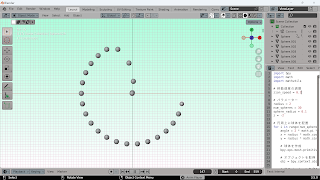
import bpy
import math
import mathutils
# 移動速度の調整
zion_speed = 0.2
# パラメーター
radius = 2
num_spheres = 30
sphere_radius = 0.1
z = -2
# 円周上に球体を配置
for i in range(num_spheres):
angle = 2 * math.pi * i / num_spheres
x = radius * math.cos(angle)
y = radius * math.sin(angle)
# 球体を作成
bpy.ops.mesh.primitive_uv_sphere_add(radius=sphere_radius, enter_editmode=False, location=(x, y, z))
# オブジェクトを取得
obj = bpy.context.object
# アニメーションを作成
obj.location = (x, y, z)
obj.keyframe_insert(data_path="location", frame=i * 3 / zion_speed + 1)
obj.location = (0, 0, 0)
obj.keyframe_insert(data_path="location", frame=i * 3 / zion_speed + 61)
# 最初の球体を再度出発させる
obj = bpy.context.selected_objects[0]
obj.location = (radius, 0, z)
obj.keyframe_insert(data_path="location", frame=num_spheres * 3 / zion_speed + 1)
obj.location = (0, 0, 0)
obj.keyframe_insert(data_path="location", frame=num_spheres * 3 / zion_speed + 61)
再度 球体を動かす
import bpy
import math
# Adjust movement speed
torus_speed = 0.02
sphere_speed = 0.2
# Parameters
radius = 2
num_spheres = 30
sphere_radius = 0.1
z = -2
# Place spheres on a circular path
for i in range(num_spheres):
angle = 2 * math.pi * i / num_spheres
x = radius * math.cos(angle)
y = radius * math.sin(angle)
# Create sphere
bpy.ops.mesh.primitive_uv_sphere_add(radius=sphere_radius, enter_editmode=False, location=(x, y, z))
# Get object
obj = bpy.context.object
obj.name = f"Sphere{i+1}"
# Set animation
obj.location = (x, y, z)
obj.keyframe_insert(data_path="location", frame=i * 3 / sphere_speed + 1)
obj.location = (0, 0, 0)
obj.keyframe_insert(data_path="location", frame=i * 3 / sphere_speed + 61)
# Function to create torus
def create_torus(location, radius):
bpy.ops.mesh.primitive_torus_add(align='WORLD', location=location, rotation=(0, 0, 0), major_radius=radius, minor_radius=0.05)
obj = bpy.context.object
obj.name = "Torus"
return obj
# Create torus
torus = create_torus((0, 0, -2), 2)
# Set animation
for i in range(101):
# Set current frame
bpy.context.scene.frame_set(i)
# Move torus
loc = (0, 0, -2 + i * torus_speed)
torus.location = loc
# Resize torus
radius = abs(loc[2])
torus.scale = (radius, radius, radius)
# Add keyframe
torus.keyframe_insert(data_path="location")
torus.keyframe_insert(data_path="scale")
# Restart first sphere when all 30 spheres have left
bpy.context.scene.frame_set(num_spheres * 3 / sphere_speed + 61)
bpy.context.scene.frame_current = num_spheres * 3 / sphere_speed + 1
for i in range(1, num_spheres+1):
bpy.data.objects[f"Sphere{i}"].keyframe_insert(data_path="location", frame=num_spheres * 3 / sphere_speed + 1)


